





Download Axio Leads Extension: Google Maps Scraper to Excel
Extract verified B2B leads, phone numbers, addresses, ratings and websites directly as you browse Google Maps. 1-click export to Excel (.xlsx), CSV, and Google Sheets.
Size ~450 KB · 100% clean build · Direct sideloading package
5 Easy Steps to Install Axio Leads Manually via .ZIP
Sideloading the extension directly via Developer mode lets you bypass store restrictions, enjoy unmetered scraping speeds, and ensure your data remains 100% local on your machine.
Download axio-leads.zip & Extract Folder
manifest.json, background.js, and popup.html directly.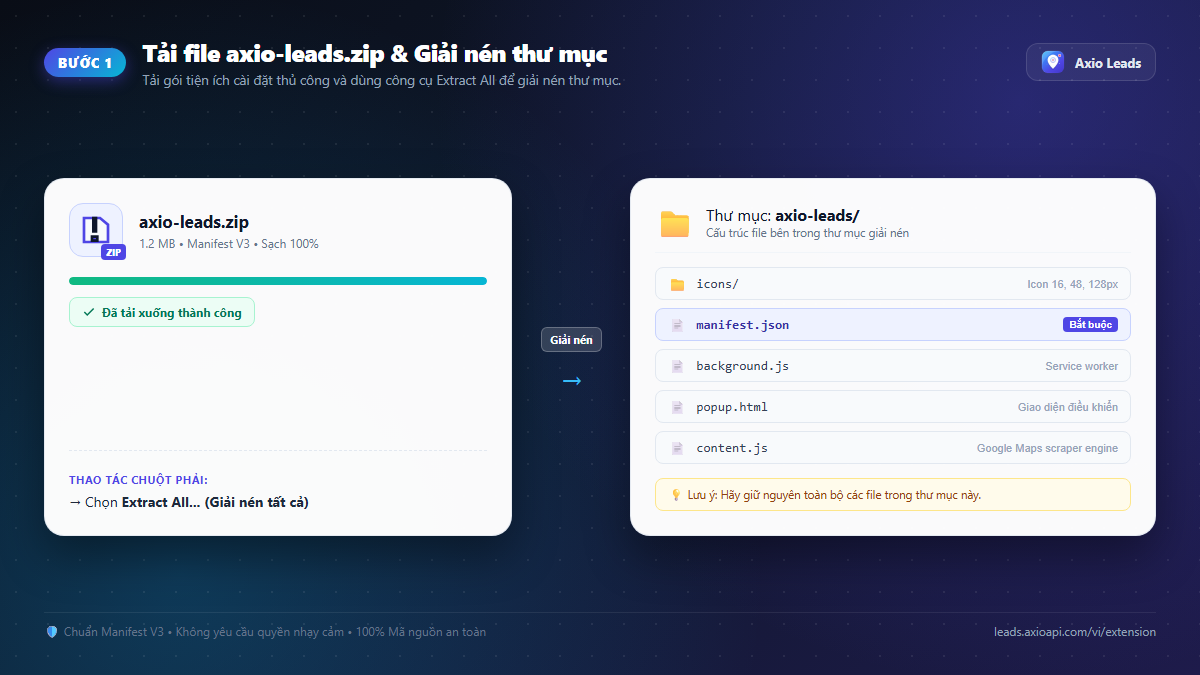
Navigate to chrome://extensions in Browser
chrome://extensions into the address bar and press Enter.
edge://extensions) and Brave (brave://extensions).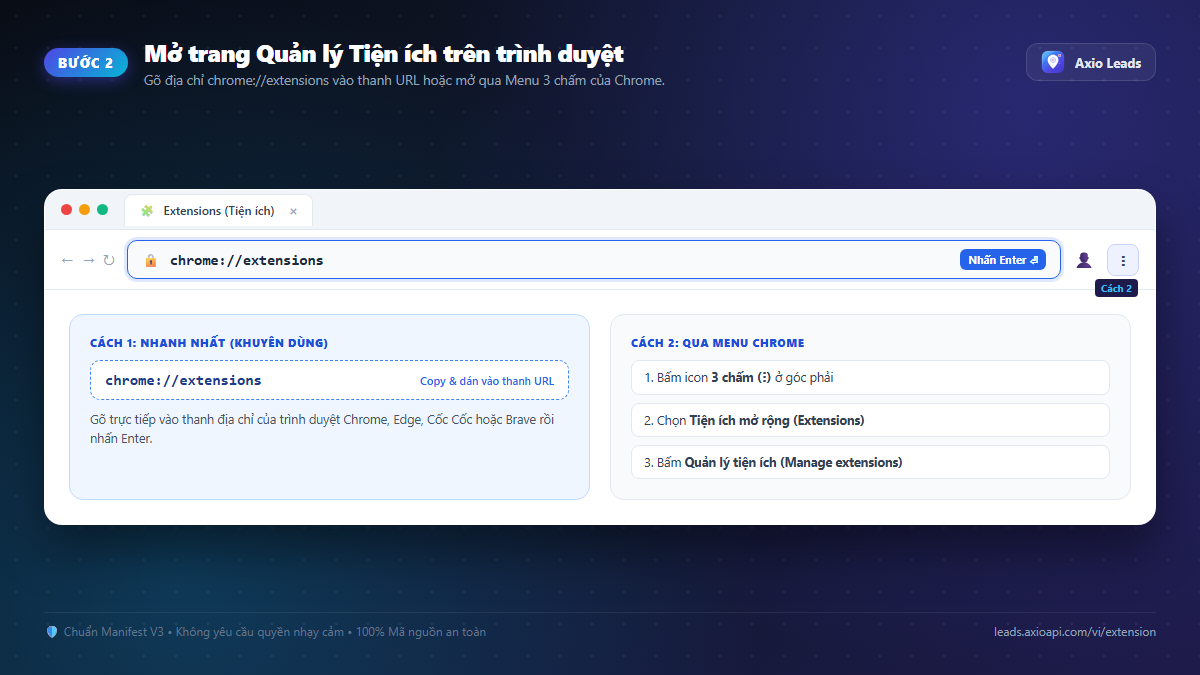
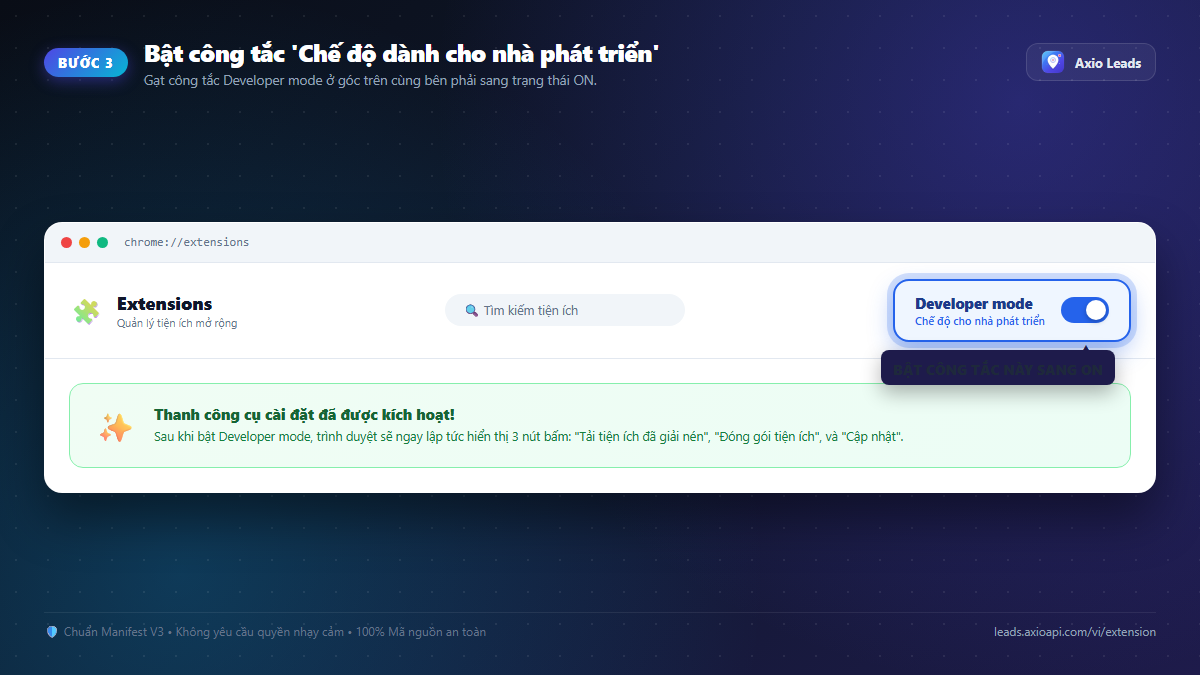
Toggle Developer mode switch to ON
Click "Load unpacked" & Select axio-leads Folder
axio-leads folder from Step 1 → click "Select Folder".
manifest.json directly. Do not select a nested wrapper or the unextracted zip.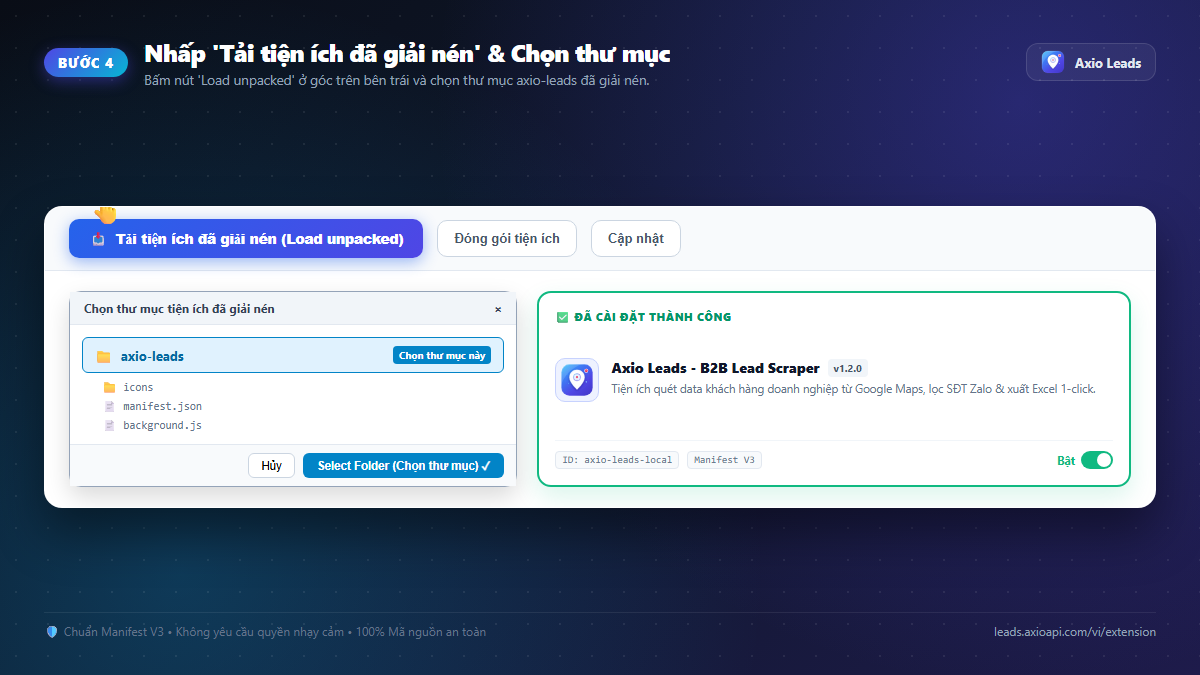
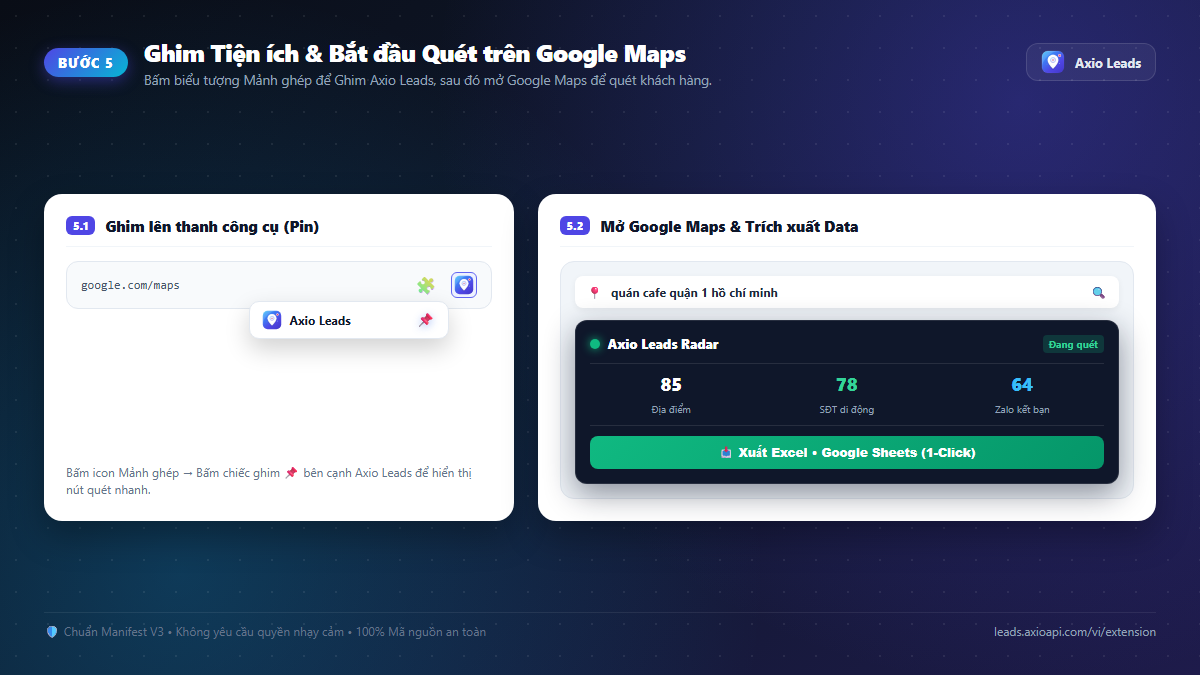
Pin Extension to Toolbar & Open Google Maps
google.com/maps, search for any business keyword, and extract qualified leads immediately!
Troubleshooting & Common Sideloading Questions
Solutions to the most common installation issues when sideloading unpacked extensions:
1. "Manifest file is missing or unreadable" error?
Cause: You selected an outer nested folder instead of the folder directly containing manifest.json.
Fix: Open the axio-leads folder and make sure manifest.json is directly visible inside it, then choose that folder.
2. Do I need to reinstall the extension every time I restart?
No. Once installed, Chrome persists unpacked extensions permanently. Just ensure you do not move or delete the extracted axio-leads folder.
3. How do I update to newer Axio Leads versions?
Simply download the new zip file, extract and overwrite the existing axio-leads folder, then click the Reload button (🔄) on the Axio Leads card at chrome://extensions.
4. Does the extension collect passwords or personal browsing history?
Strictly no! Axio Leads complies with Google Manifest V3 privacy standards. It only reads public Google Maps business listings that business owners publish for callers, and never accesses personal cookies, passwords, or financial credentials.
Why Install Axio Leads Extension?
Real-time Browser Extraction
Automatically detects and extracts business details as you search and scroll through Google Maps results.
Complete B2B Data Fields
Captures company names, formatted phone numbers, full addresses, websites, star ratings, and review counts.
1-Click Excel & CSV Export
Save lead lists directly to cleanly formatted .xlsx or .csv spreadsheets ready for CRM import and outreach.
Google Sheets Sync
Push scraped leads directly into Google Sheets with a single click to share with your sales and marketing teams.
Smart Deduplication
Intelligently identifies and skips duplicate listings across search queries to ensure pristine contact lists.
100% Local & Private
Runs locally in your browser (Client-side automation) without harvesting your credentials or private search history.
Frequently Asked Questions
Why is this distributed as a .ZIP file instead of Chrome Web Store?
Google restricts Google Maps scraping tools on their store to protect their paid Places API. Distributing via an independent .ZIP package gives you uncapped speed, full autonomy, and no risk of store delisting.
Is this extension safe for my browser and Google account?
Yes, 100% safe. The extension runs entirely client-side inside your own browser window, requires no passwords, and never touches your personal account.
Does it work on Microsoft Edge, Brave, or Coc Coc?
Yes! Axio Leads is built on Manifest V3 and is fully compatible with all Chromium-based browsers (Chrome, Edge, Brave, Coc Coc, Opera).
How do I update to newer versions?
When an update is released, simply download the new zip file, extract it to replace the files in your folder, and click the Reload icon on chrome://extensions.
Can I run this on mobile devices?
The extension is designed for desktop browsers (Windows, Mac, Linux). For mobile, you can use our Cloud Web Scanner directly from any browser.
Ready to scrape thousands of qualified B2B leads?
Download the free extension and start extracting Google Maps business contacts right away.